Onboarding | Project Phases | Best Practices | Glossary of Key Terms
Create a Google Admin Account
Follow the directions below to create a temporary Google Admin account (with the Super Admin role assigned). Transend will use this account to perform your migration. After your migration is complete you may delete this account.
Message your Project Manager in Portal that you’re about to create the Google Admin account, so they’re ready to provide a MFA code that may be required to complete the process.
In the Google Admin center, click Add a user.
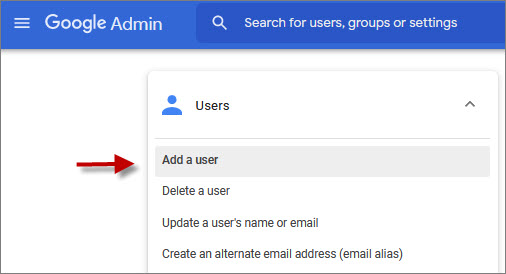

Create the user with the following information:
- First name: Transend
- Last name: Admin
- Primary email: transend_admin@[yourdomain].com
- Click the down arrow next to Manage user’s password, organizational unit, and profile photo
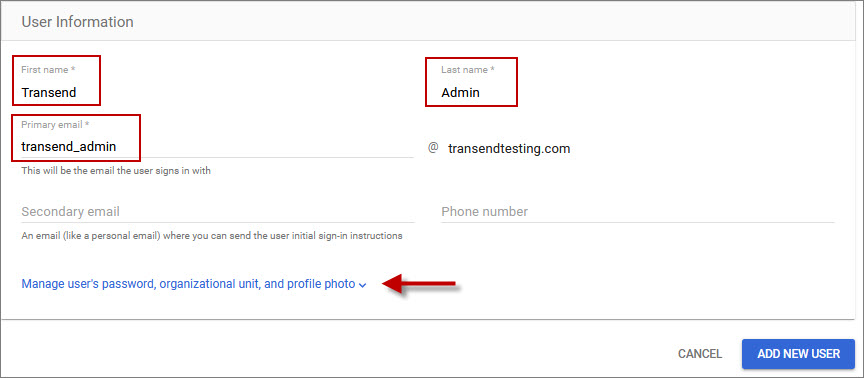
- Click Create Password
- Enter a unique password
- Disable Ask user to change their password when they sign in
- Click ADD NEW USER
.jpg)
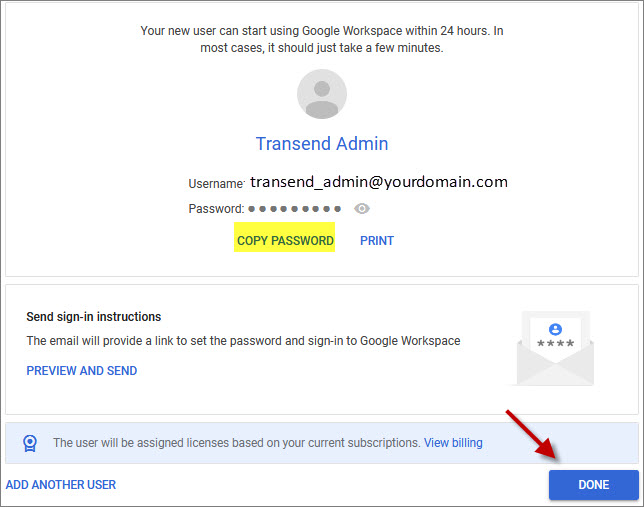
Once the new user is created, COPY PASSWORD and paste it to the Password field in the Customer To-Do Items document.
Click DONE
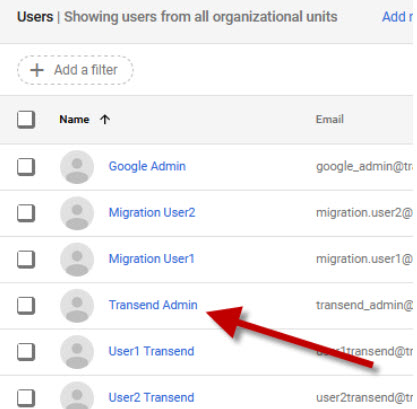
Refresh your page to display all user accounts. In the user list click Transend Admin.
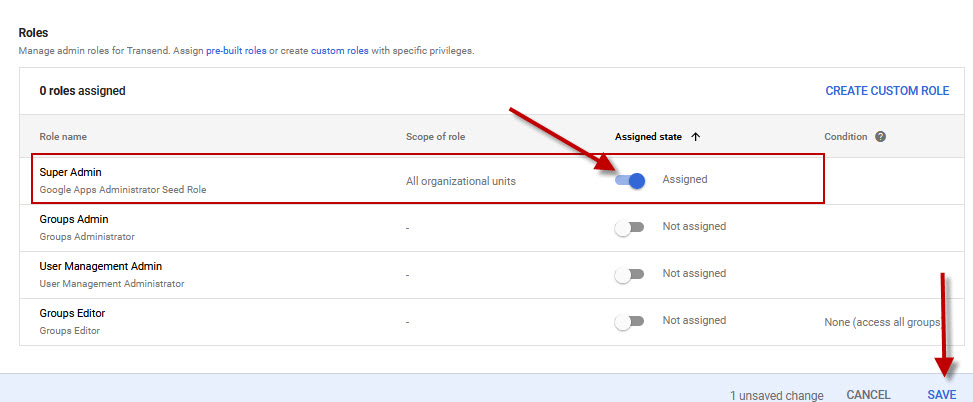
All Transend Admin’s settings will now display. In the Admin roles and privileges section, click ASSIGN ROLES.

Assign the Super Admin role, and click SAVE.
In the upper left, click Transend Admin to get back to the user’s main account details screen.
.jpg)
On the main Transend Admin account details screen, click the dropdown arrow in the Security section.
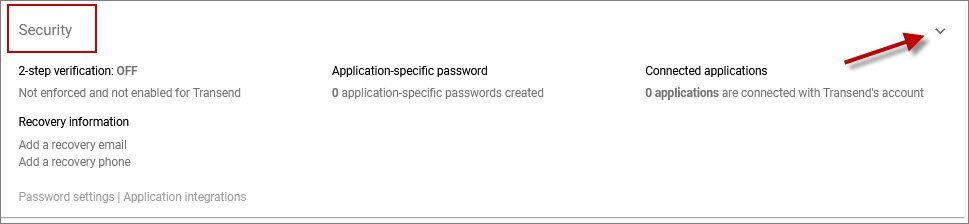
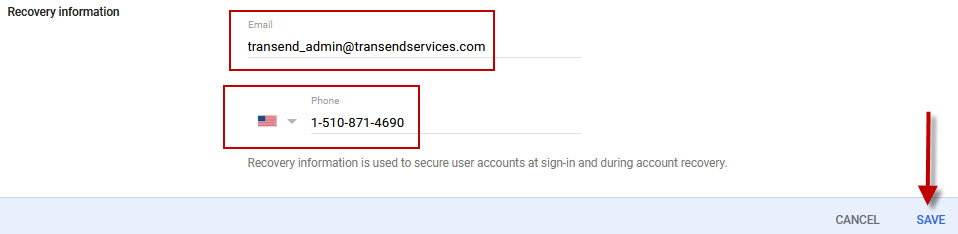
In the Recovery information section, click the edit icon


Enter (via cut/paste) the following email address: [email protected]
Enter (via cut/paste) the following United States phone number: 1-510-871-4690
Message your Project Manager in Portal that they may have received a MFA code required to complete the process. If you were not prompted for this code you can ignore this step.
Congratulations! You have successfully created a Google Admin user for Transend.
Once you provide the credentials to Transend, we will create a Google Service Account that supports migration without requiring user passwords.
 Microsoft OneDrive