Home / Platform Considerations
Dovecot IMAP Server Considerations
Migrate to or from Dovecot IMAP Server without user passwords by setting up the Dovecot Master User for admin authentication.
Requirements
- No additional software is required.
- Internet Connection. A TCP/IP connection to the server is required.
After the Master User is set up in Dovecot, perform the following steps in Transend Migration Console:
On the Create a New Project page, select IMAP Server from the dropdown list.
Select Admin credentials.
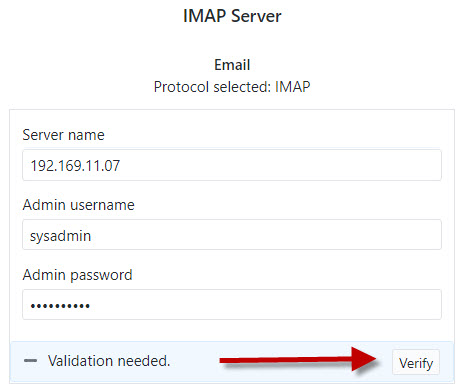
When you get to the Configuration Settings > Required page, enter the following:
- Server name: Dovecot IMAP Server IP address or hostname.
- Admin username: Dovecot Master User.
- Password: Master User account password.
- Click Verify to validate the admin login is working properly.

 Microsoft OneDrive