Inventory Google Workspace Data Usage
To inventory end-user Gmail and Drive usage, follow the below instructions.
To inventory Shared Drive usage, follow the instructions in the second section.
User Gmail & Drive Usage
Login to Google Admin — https://admin.google.com/
Click on Users.
Email usage should display by default.
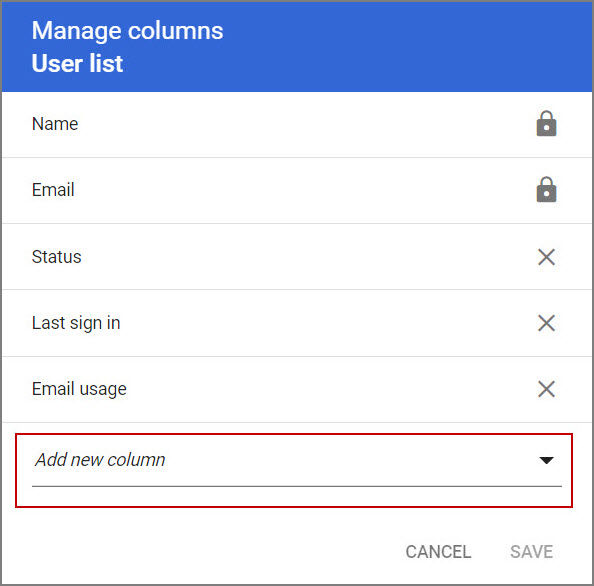
If Drive is not displayed in your current view, click on the Manage Columns icon on the right side of the screen.


Click the Add new column arrow.
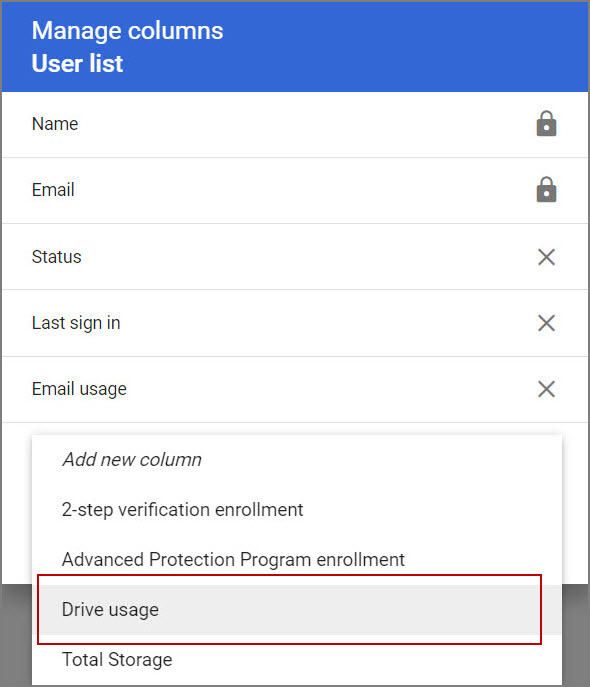
Select Drive usage and then click SAVE.
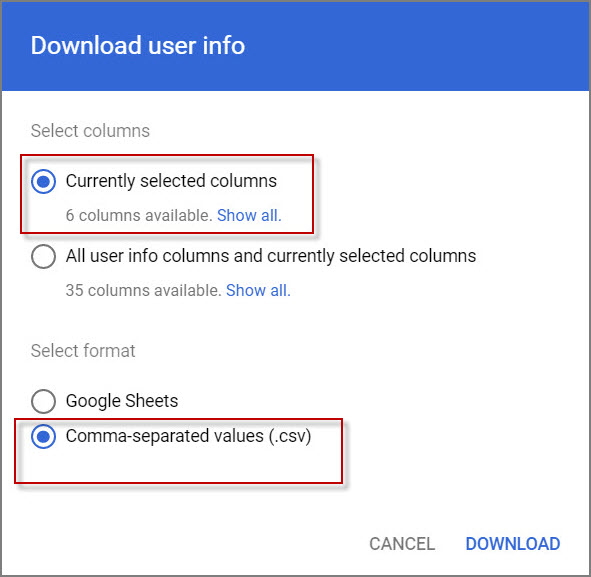
Click the Download Users link to download the visible columns in CSV format.

In the Download user info window, select the following and click DOWNLOAD:
- Currently selected columns
- Comma-separated values (.csv)
Review the spreadsheet to identify how much user Gmail and Drive data there is to migrate.
Shared Drive Usage
Login to Google Admin — https://admin.google.com/
From the Admin console Home page, go to Apps > Google Workspace > Drive and Docs.
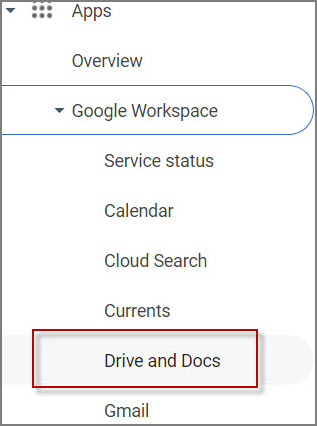
Make sure that Drive is turned on.

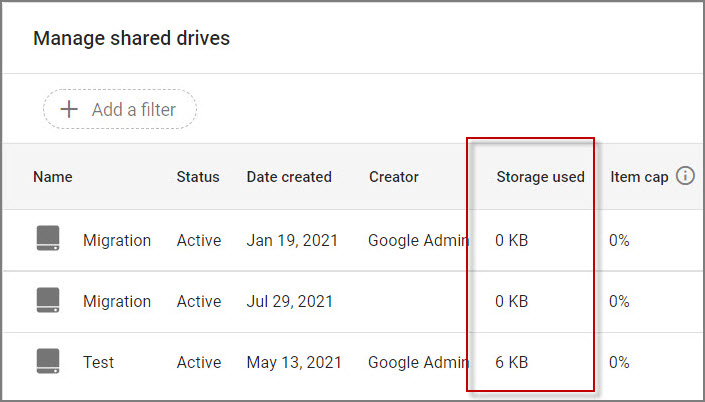
Click Manage shared drives.

In the Storage used column, identify the amount of storage used.
 Microsoft OneDrive