Home / Product Setup & Usage / Configuration
Set maximum attachment size allowed by target system
Target mail platforms will reject messages from migrating if they contain attachments that exceed the platform’s defined size limits. As a result, we have built in logic that detaches attachments that exceed the defined limits so that the message will continue to migrate. Detached attachments are either stored in a cloud-based user drive (i.e. OneDrive or Google Drive) or in a local directory on the migration machine (if migrating to a platform other than Microsoft 365 or Google Workspace).
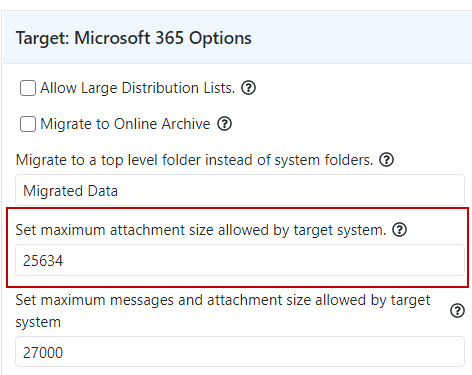
The Set maximum attachment size allowed by target system option allows you to customize the maximum attachment size to be migrated to the target system.
For most target systems we have built in a default value to match your specific target platform’s limit, but you can customize it.
The following example is the default value set for a migration to Microsoft 365:
Why oversized attachments are detached
Detaching attachments during migration helps ensure that all messages are successfully migrated even if they (a) include individual attachments that exceed the target platform’s default attachment size limit, or (b) combine attachments, embedded objects and/or large message bodies that collectively exceed the target platform’s default max message size limit.
When attachments are detached during migration, Transend will display a stub in the target message indicating the attachment was detached to a specific file path.
 Microsoft OneDrive